Overview
ggfunction extends ggplot2 to visualize mathematical functions directly. It provides a unified interface organized around two families:
-
Dimensional taxonomy – functions classified by
input/output dimension:
-
geom_function_1d_1d(): (scalar to scalar) -
geom_function_1d_2d(): (parametric curves) -
geom_function_2d_1d(): (scalar fields, raster/contour) -
geom_function_2d_2d(): (vector fields)
-
-
Probability distributions – specialized geoms for
distribution functions:
-
geom_pdf(): probability density function -
geom_cdf(): cumulative distribution function -
geom_pmf(): probability mass function (lollipop) -
geom_qf(): quantile function -
geom_cdf_discrete(): discrete CDF (right-continuous step function) -
geom_qf_discrete(): discrete quantile function (left-continuous step function) -
geom_survival_discrete(): discrete survival function (right-continuous step function) -
geom_survival(): survival function -
geom_hf(): hazard function
-
Dimensional Taxonomy
1D to 1D: Scalar Functions
Plot any with optional interval shading:
ggplot() +
  geom_function_1d_1d(fun = sin, xlim = c(0, 2 * pi))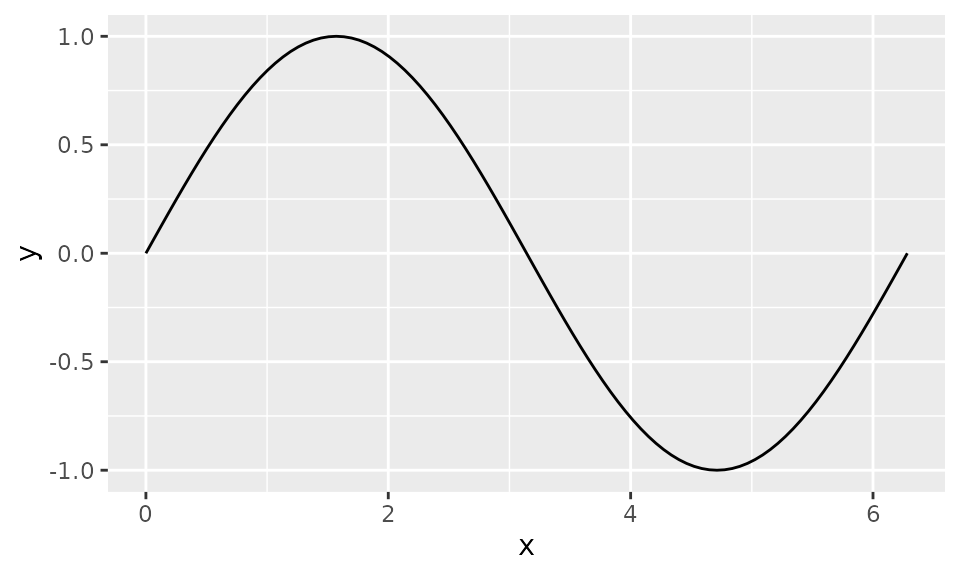
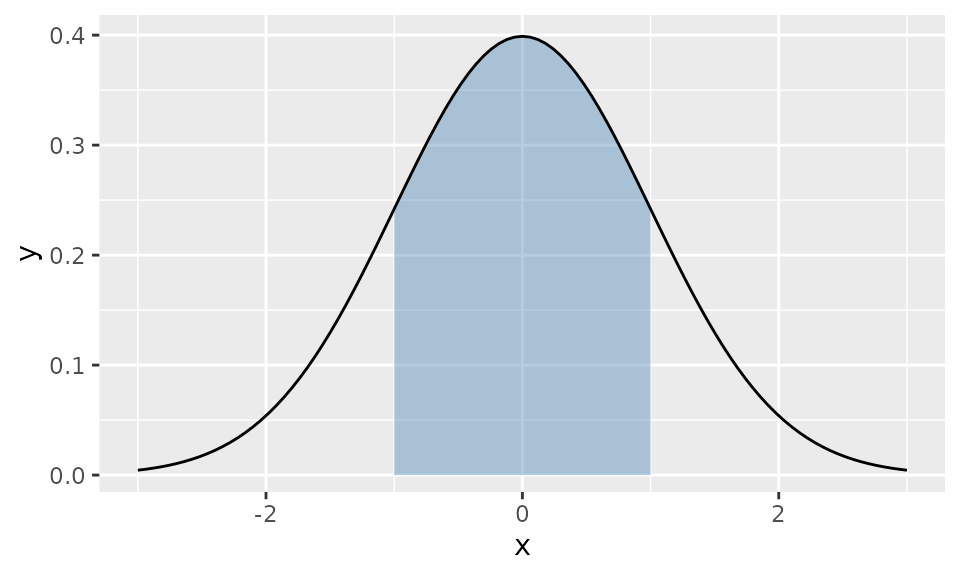
Shade a specific interval:
ggplot() +
  geom_function_1d_1d(
    fun = dnorm, xlim = c(-3, 3),
    shade_from = -1, shade_to = 1, fill = "steelblue"
  )
1D to 2D: Parametric Curves
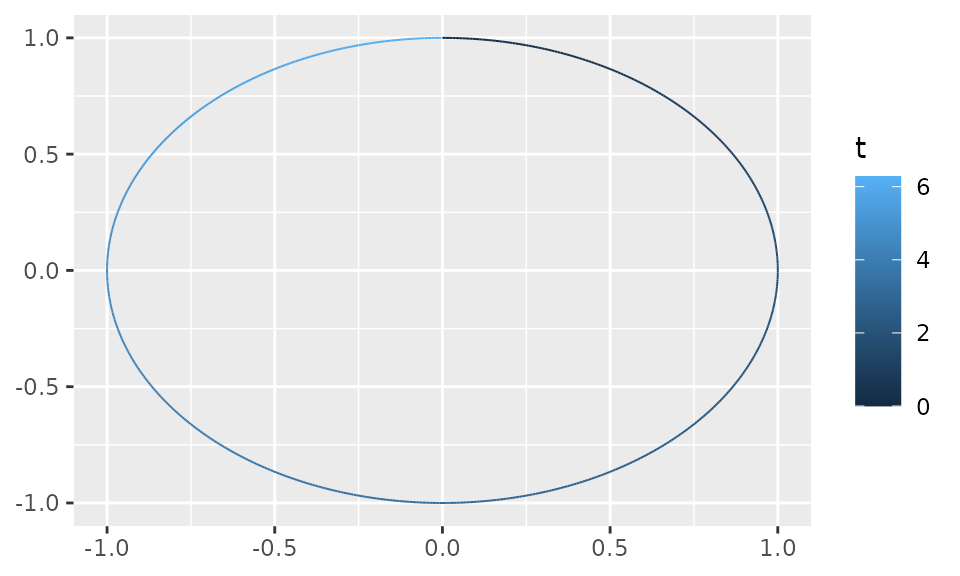
Map a scalar parameter to a 2D path using tlim to set
the parameter range:
2D to 1D: Scalar Fields
Visualize as a raster:
f_gaussian <- function(v) exp(-(v[1]^2 + v[2]^2) / 2)

ggplot() +
  geom_function_2d_1d(fun = f_gaussian, xlim = c(-3, 3), ylim = c(-3, 3))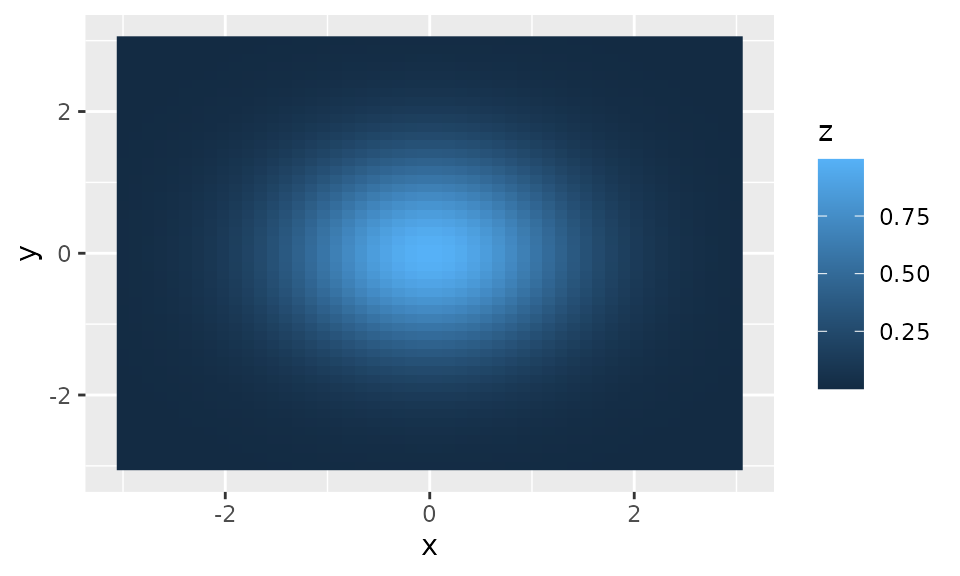
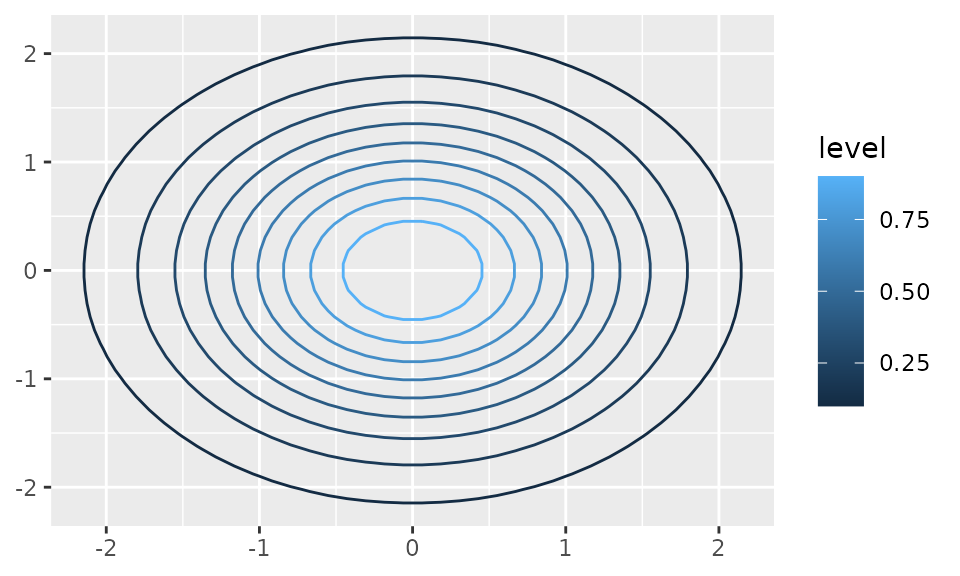
Or as contour lines:
ggplot() +
  geom_function_2d_1d(
    fun = f_gaussian, xlim = c(-3, 3), ylim = c(-3, 3),
    type = "contour"
  )
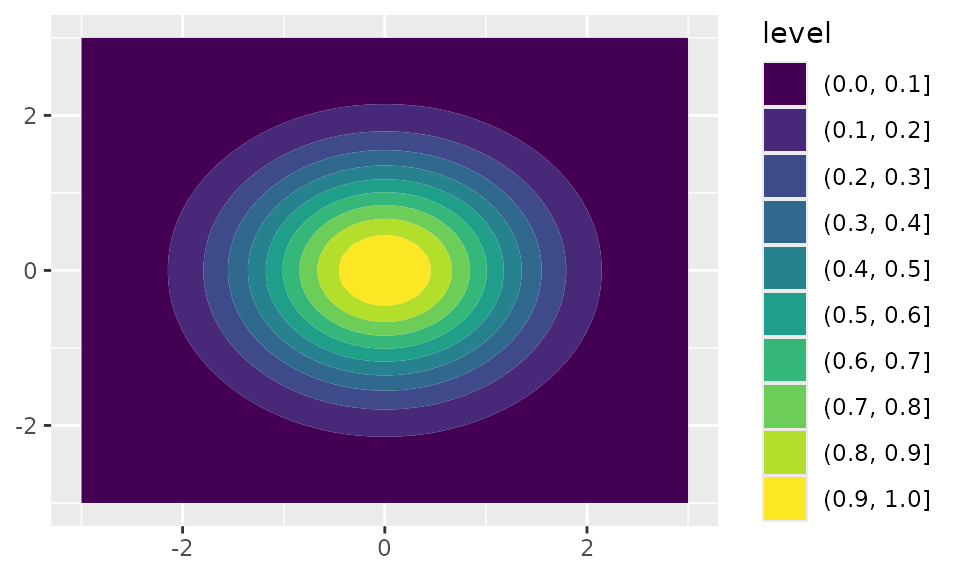
Or as filled contours:
ggplot() +
  geom_function_2d_1d(
    fun = f_gaussian, xlim = c(-3, 3), ylim = c(-3, 3),
    type = "contour_filled"
  )
2D to 2D: Vector Fields
Visualize vector fields as short arrows at each grid point (the
default, type = "vector"):
f_rotation <- function(u) c(-u[2], u[1])
ggplot() +
  geom_function_2d_2d(fun = f_rotation, xlim = c(-1, 1), ylim = c(-1, 1))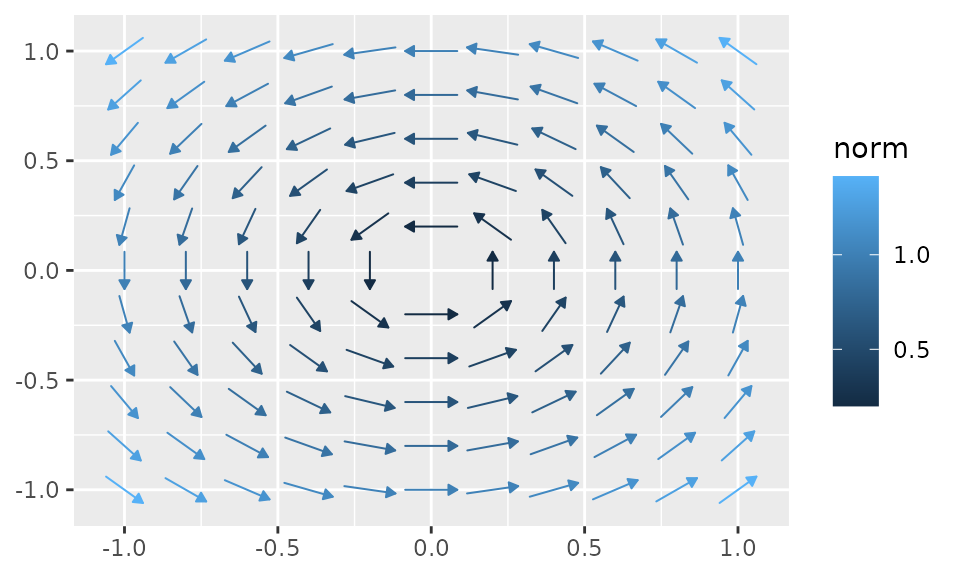
Or as integral-curve streamlines with
type = "stream":
ggplot() +
  geom_function_2d_2d(fun = f_rotation, xlim = c(-1, 1), ylim = c(-1, 1),
    type = "stream")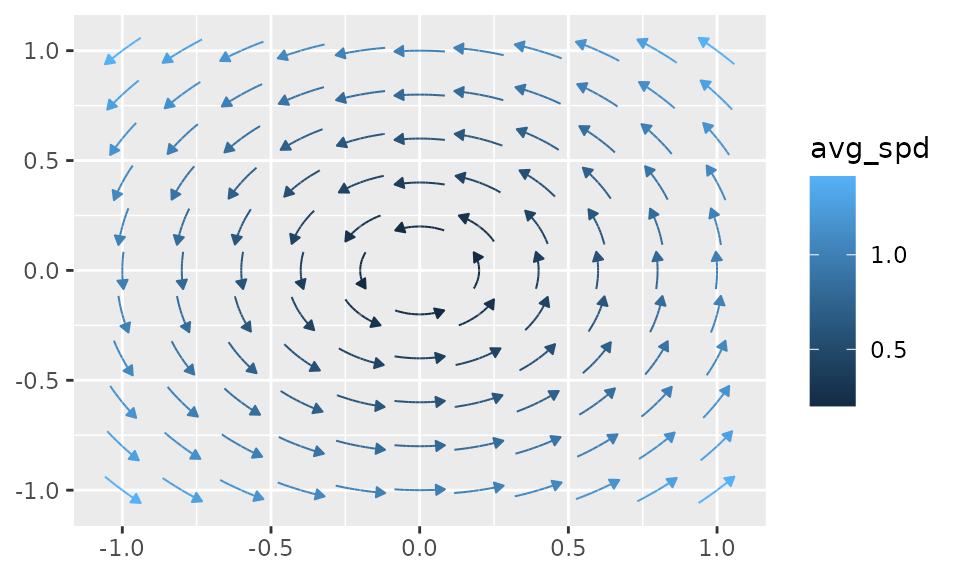
Probability Distribution Family
PDF with Shading
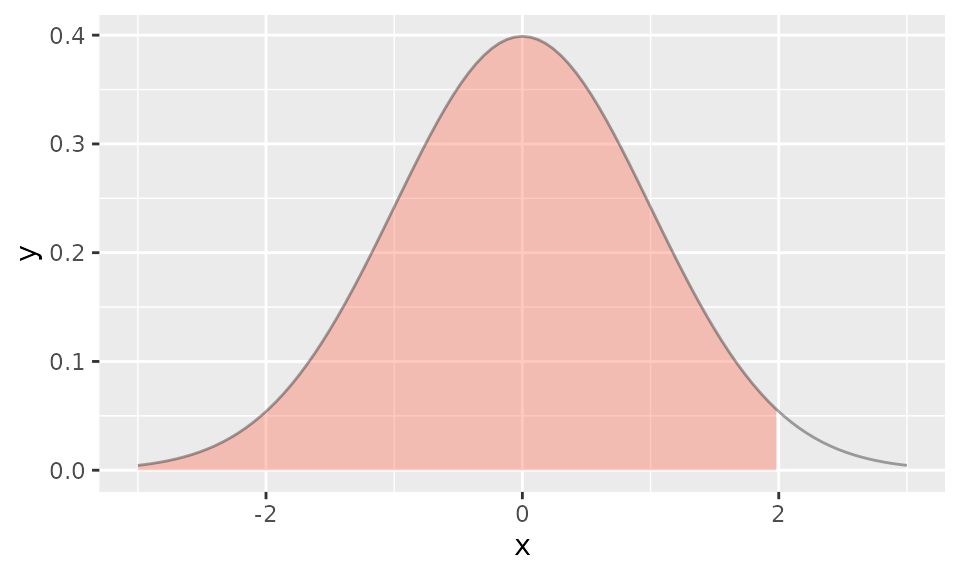
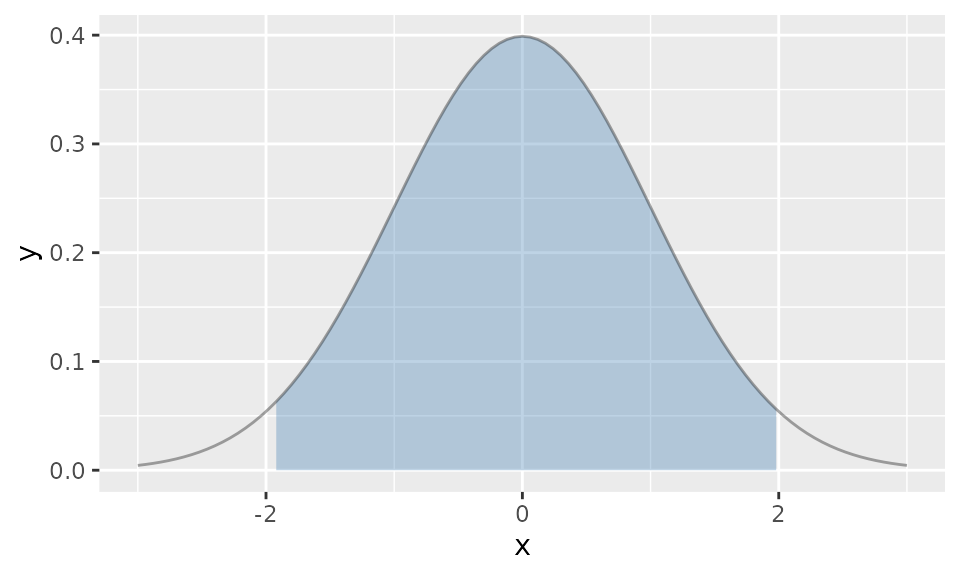
Two-sided shading (e.g., middle 95%):
ggplot() +
  geom_pdf(
    fun = dnorm, xlim = c(-3, 3),
    p_lower = 0.025, p_upper = 0.975, fill = "steelblue"
  )
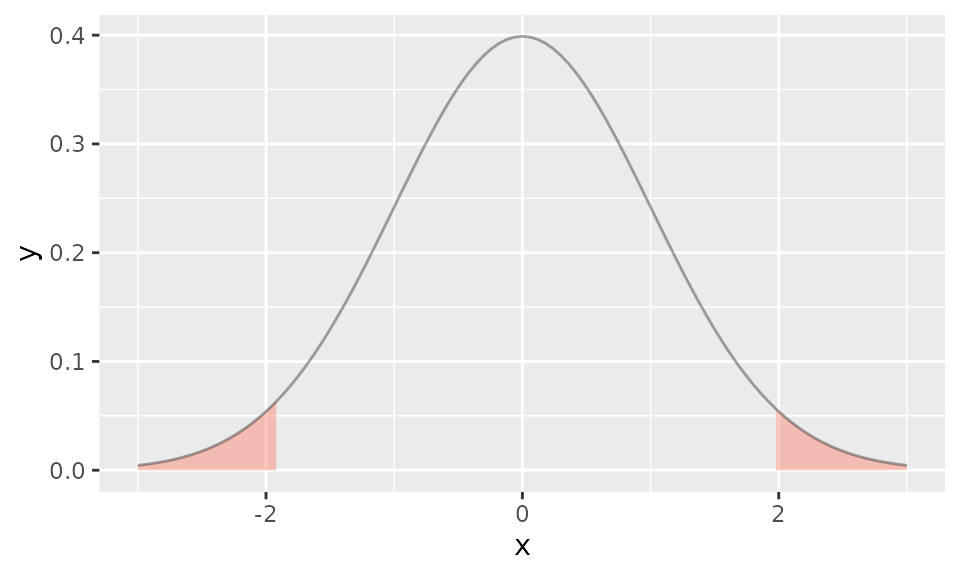
Shade the tails instead (outside):
ggplot() +
  geom_pdf(
    fun = dnorm, xlim = c(-3, 3),
    p_lower = 0.025, p_upper = 0.975, shade_outside = TRUE, fill = "tomato"
  )
PMF (Lollipop)
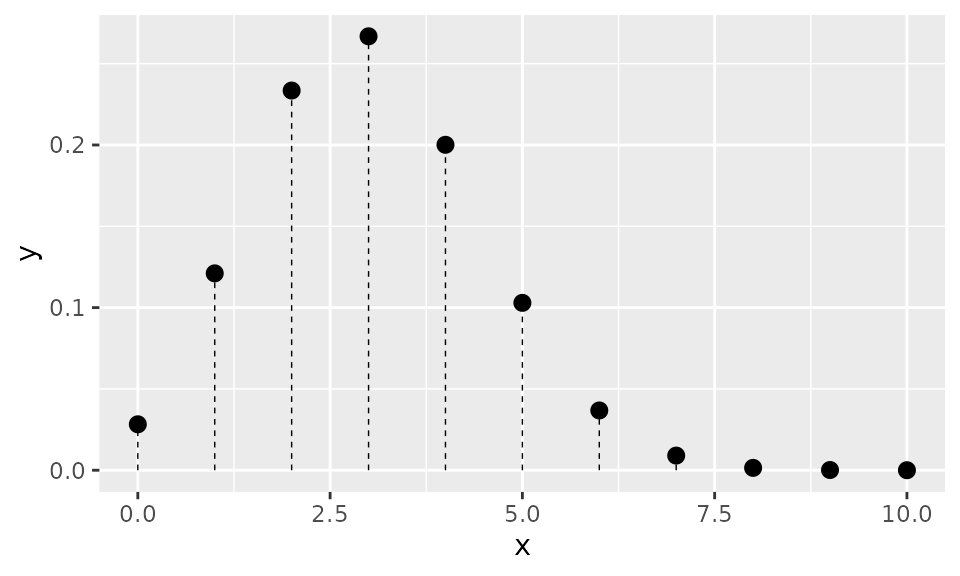
Tail shading with p and HDR shading with
shade_hdr work the same way as in
geom_pdf():
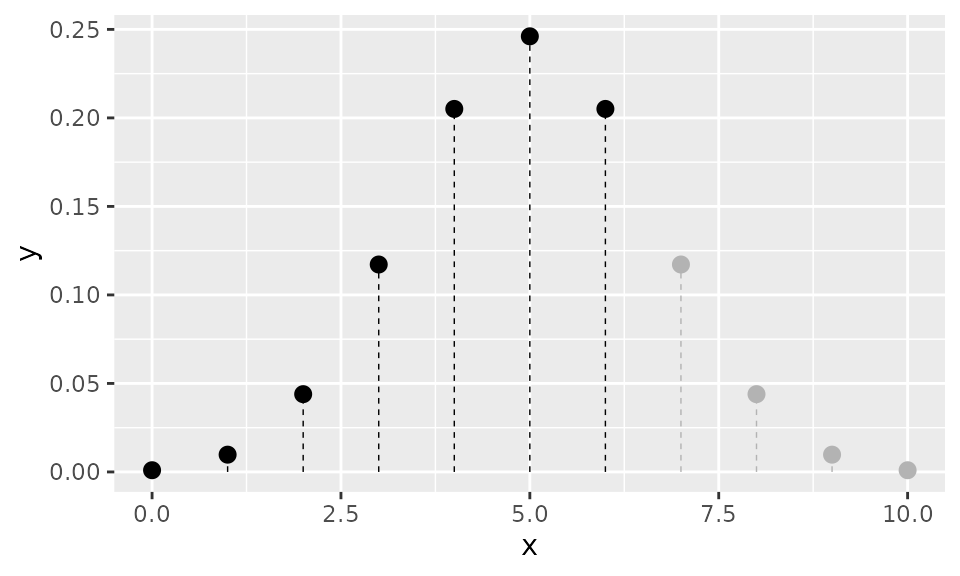
ggplot() +
  geom_pmf(fun = dbinom, xlim = c(0, 10), args = list(size = 10, prob = 0.3),
    shade_hdr = 0.7)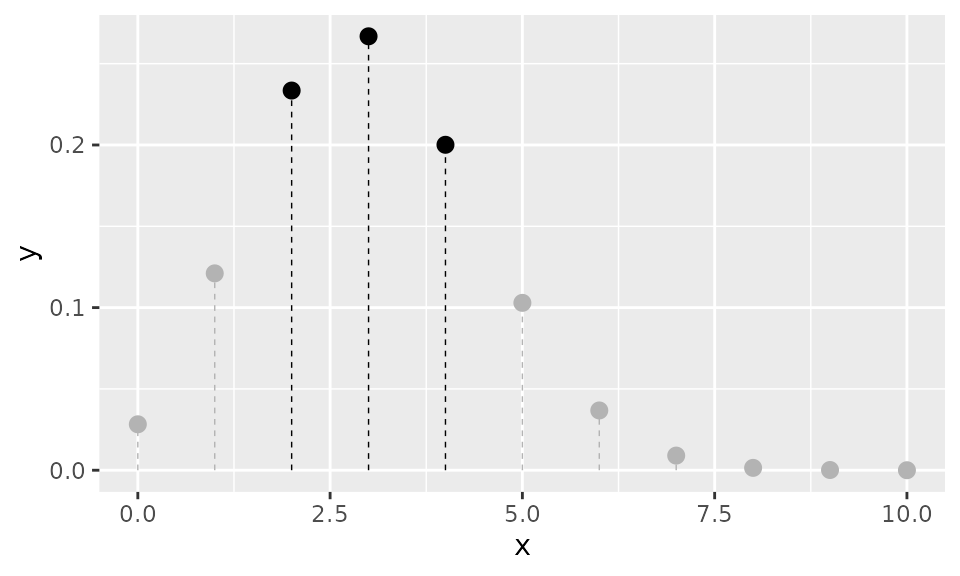
Discrete CDF (Step Function)
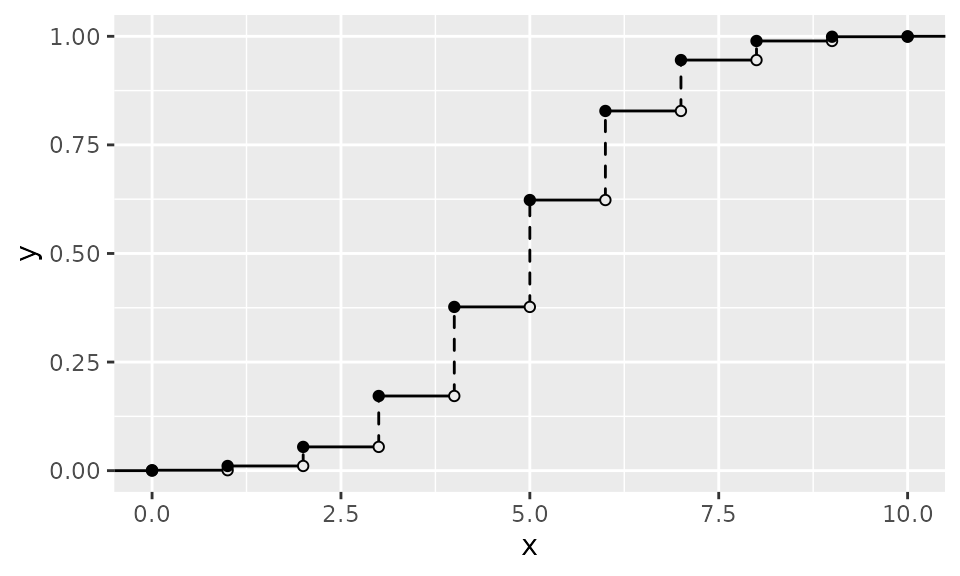
geom_cdf_discrete() renders a discrete CDF as a
right-continuous step function with dashed vertical jumps and
open/closed endpoint circles:
ggplot() +
  geom_cdf_discrete(
    pmf_fun = dbinom, xlim = c(0, 10), args = list(size = 10, prob = 0.5)
  )
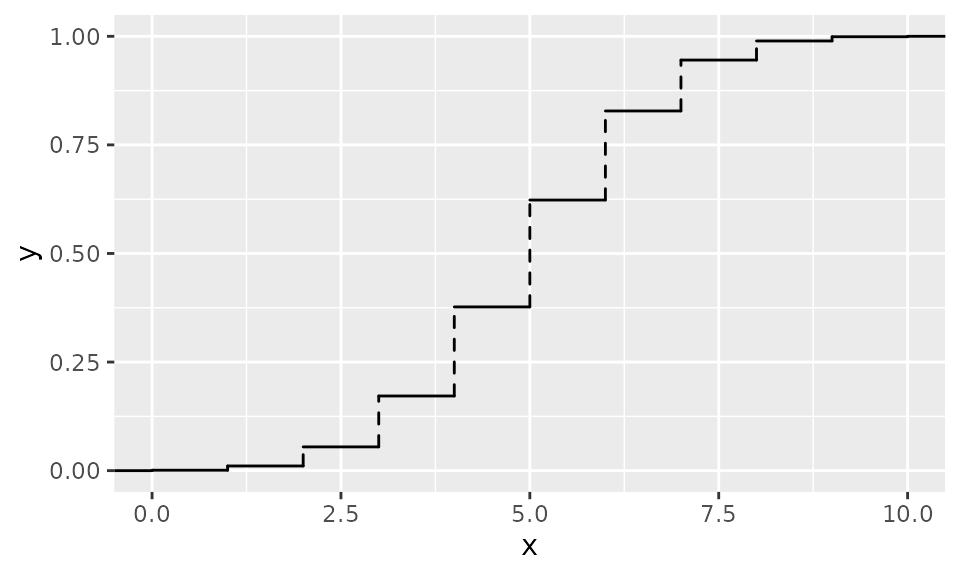
Use show_points = FALSE or
show_vert = FALSE to suppress circles or jump lines:
ggplot() +
  geom_cdf_discrete(
    pmf_fun = dbinom, xlim = c(0, 10), args = list(size = 10, prob = 0.5),
    show_points = FALSE
  )
Discrete Quantile Function (Step Function)
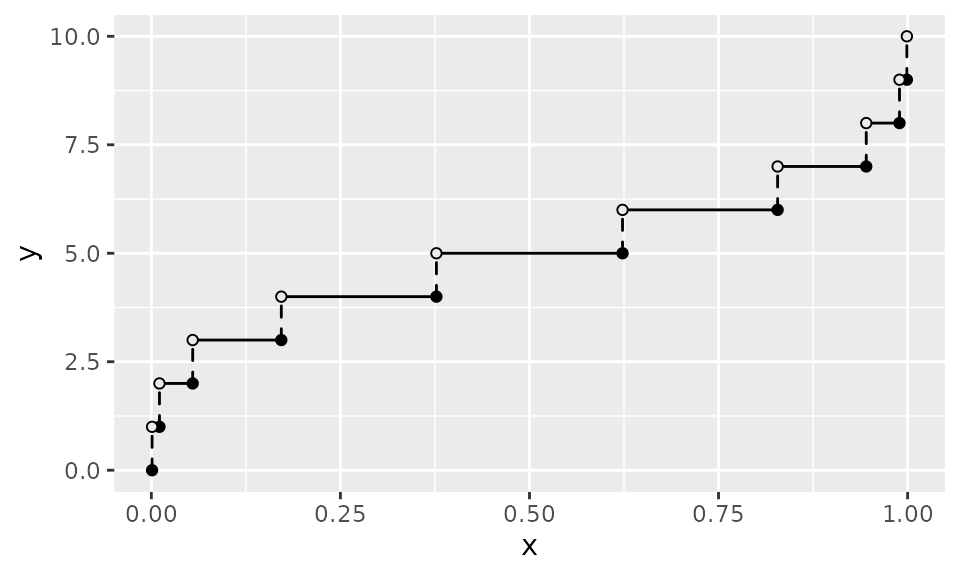
geom_qf_discrete() renders the inverse of the discrete
CDF as a left-continuous step function on
,
with closed circles at the bottom of each jump and open circles at the
top:
ggplot() +
  geom_qf_discrete(
    pmf_fun = dbinom, xlim = c(0, 10), args = list(size = 10, prob = 0.5)
  )
Discrete Survival Function (Step Function)
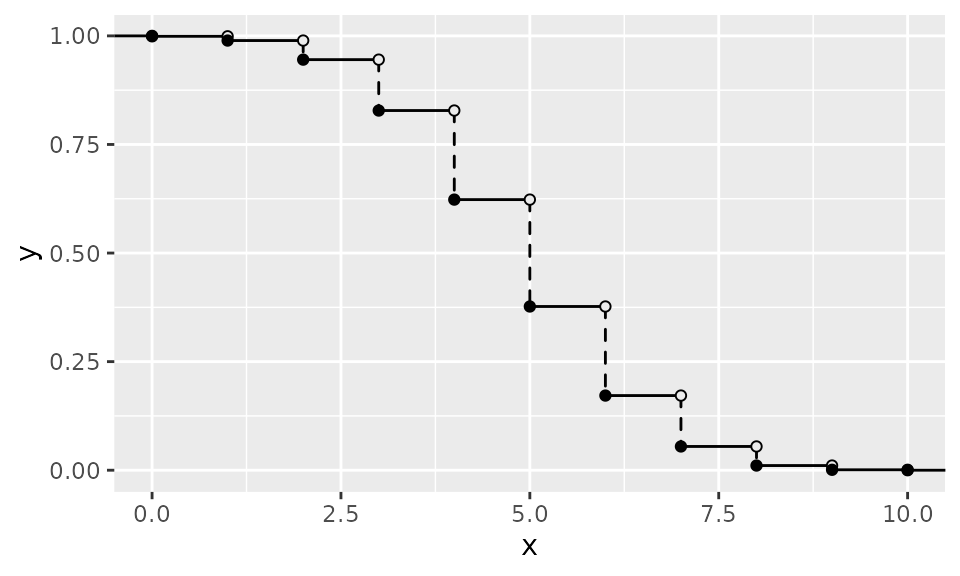
geom_survival_discrete() renders the discrete survival
function
as a right-continuous step function with the same visual conventions as
geom_cdf_discrete():
ggplot() +
  geom_survival_discrete(
    pmf_fun = dbinom, xlim = c(0, 10), args = list(size = 10, prob = 0.5)
  )
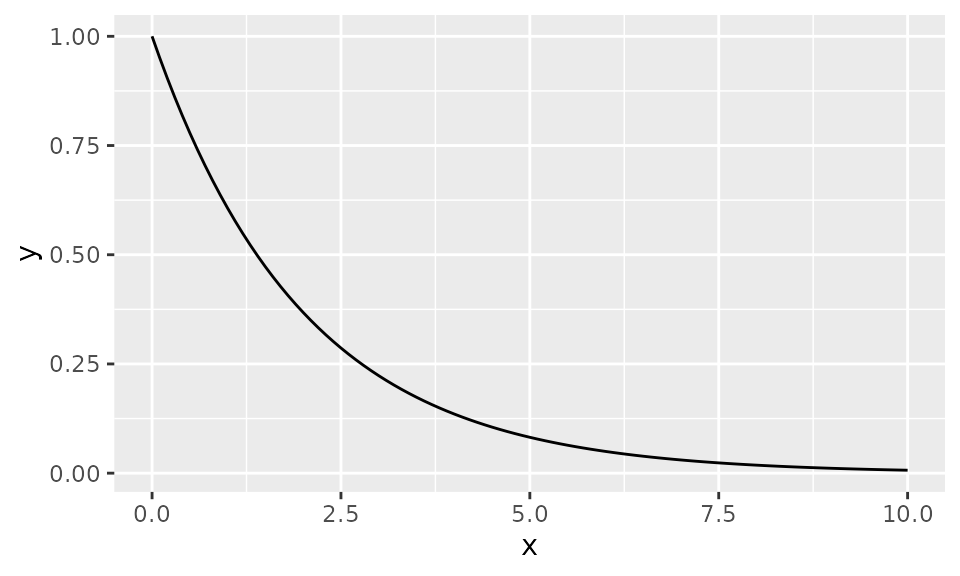
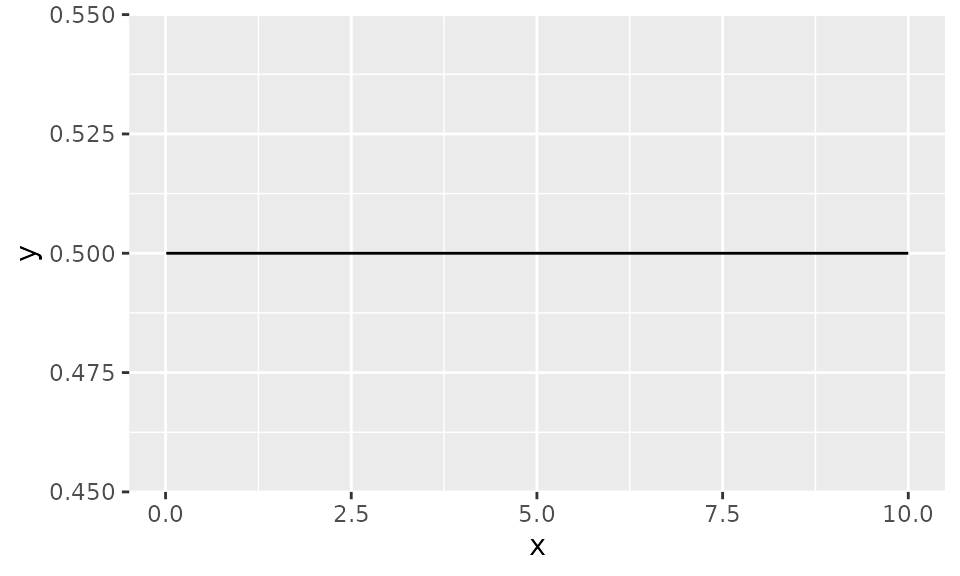
Survival Function
ggplot() +
  geom_survival(fun = pexp, xlim = c(0, 10), args = list(rate = 0.5))
#> Warning: The resulting survival function is not monotonically non-increasing.
#> ℹ Check the function supplied to `fun`, `cdf_fun`, or `pdf_fun`.